Skip to content
Sun Software logo with the tagline Engineering Beyond Code
Janitorial & Cleaning Supply Distributors

A B2B online ordering system for the cases your customers reorder every month.

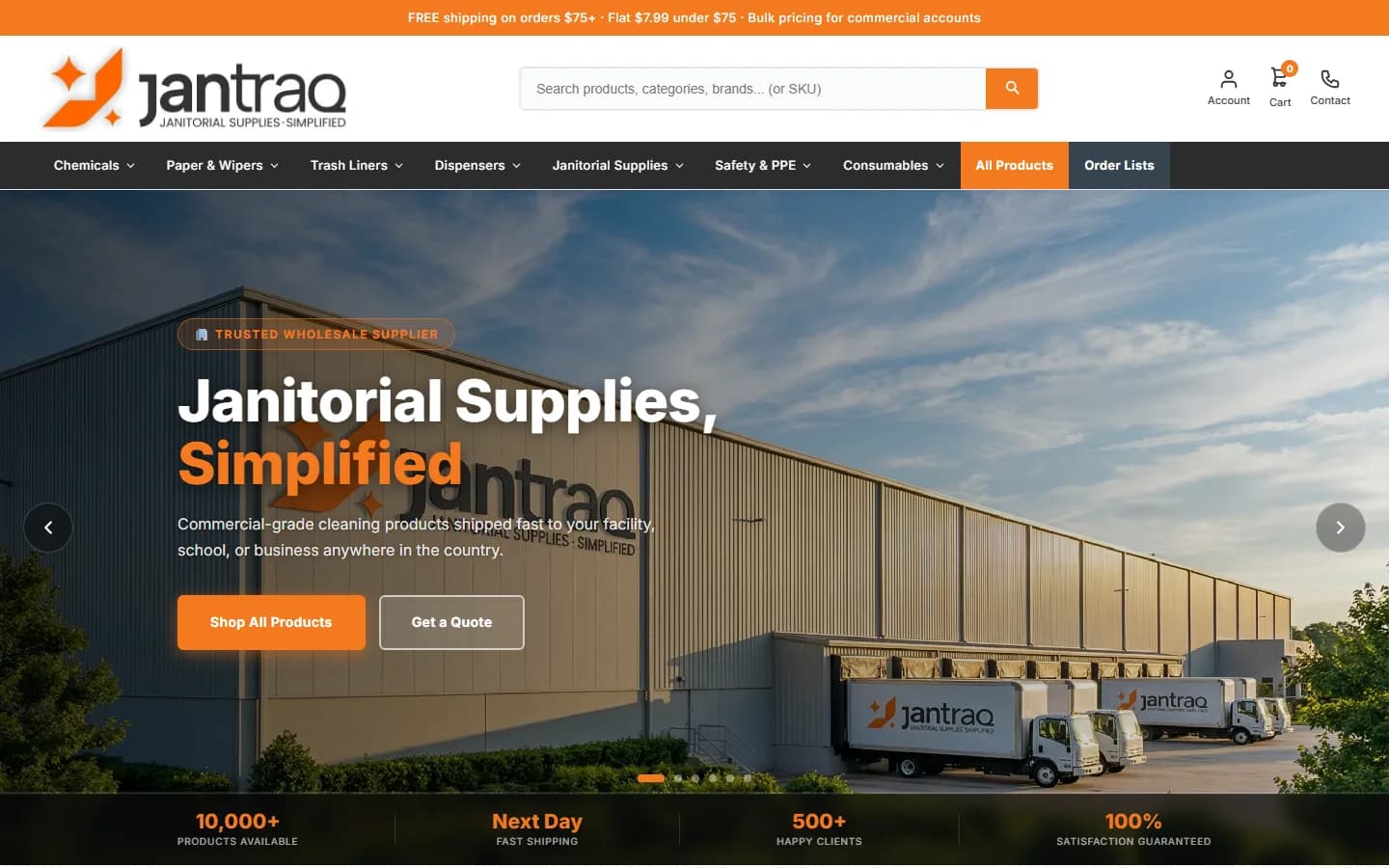
A cleaning contractor orders the same can liners, roll towels and floor finish month after month, usually from a supply closet or a van. We build a B2B online ordering system that remembers what each site buys, shows the contract price by the case and puts the safety data sheet next to the product. We built one for JanTraq, a US supplier of cleaning and facility products.

What the research says

Your customers would order more online. Price still decides.

Sanitary Maintenance, the trade magazine for jan/san distributors, surveyed in-house facility managers and building service contractors in 2025 about how they buy cleaning products.

  • of facility managers and building service contractors surveyed would buy more online from their distributor if its ecommerce were better

    58%

    What we do

    We build a store with saved lists for each building and quick add, so the usual order takes a few taps.

  • of those end users already buy at least 51% of their products through their distributor's website

    42%

    What we do

    We put sizes, packs, the safety data sheet and delivery days on the store, so buyers can finish an order there.

  • of those end users said they would switch distributors for a better product price

    83%

    What we do

    We load each customer's contract prices and test them by logging in as that customer before the store opens.

The problem

Where does a monthly supply order go wrong?

Your customers rarely need help choosing. They need last month's order again, in the right pack, on the right truck. You may recognise some of these.

01

A site supervisor texts a photo of an empty box and someone has to work out the item

02

Each, pack, case and pallet get mixed up, and the wrong quantity goes on the truck

03

Contract prices for a school district or a cleaning company live in a spreadsheet, not the store

04

Customers call for a safety data sheet you have already sent twice

05

Orders arrive after the cut-off for that area's delivery day

06

One contractor orders for many buildings and needs each order kept apart

One plan, several services

Who does what on your supply store?

A supply order looks simple until you count the pack sizes, the contract prices and the delivery days behind it. The store, the connection to your distribution software and the product data all have to agree. We plan them together.

  1. 1

    Web, Ecommerce & Digital Platforms

    Your store, customer accounts, contract prices, pack options and reorder lists.

  2. 2

    AI Agents & Business Automation

    Connections to your distribution software, and an assistant that answers from your product and safety data sheets.

  3. 3

    Custom Software & SaaS Development

    Delivery day rules, standing orders and ordering for many buildings, where a store platform cannot do it.

  4. 4

    SEO, AI Visibility & Digital Growth

    Categories, item numbers and product data, so a facilities manager searching for a liner size finds yours.

First conversation

What we ask before we propose anything

Three questions show us how your customers reorder and where a wrong case or price could slip through.

01

Which items do your regular customers reorder every month, and how do those orders reach you?

02

How are contract prices agreed for each contractor, district or facility, and where are they kept?

03

Which days do you deliver to each area, and what is the cut-off for an order to make the truck?

How it works

How your reordering project runs

We start from the order your customers place most often and work outwards: the item, the pack, the price, the delivery day.

  1. 01

    Read a month of repeat orders

    We look at how your regular customers ordered last month, by phone, text, email and rep visit, and which items come up every time.

    What you get

    A list of your most reordered items and how each order arrived.

  2. 02

    Sort out units and packs

    We agree how each product is sold: each, pack, case or pallet, with the case quantity shown the same way everywhere.

    What you get

    A product sheet with one clear selling unit per option.

  3. 03

    Load contract prices and documents

    We set up your customer groups and contract prices, and attach the safety data sheet and product sheet you supply to each item.

    What you get

    Price lists and documents matched to products.

  4. 04

    Test it from a supply closet

    On a private test copy, we place orders on a phone as a contractor, a school and a facility, and check each one sees its own prices.

    What you get

    A working store with every price level and pack checked.

  5. 05

    Start with your steadiest accounts

    We build reorder lists for a first group of customers from their past orders, train your team, then invite the rest.

    What you get

    A live store with reorder lists your customers can use on day one.

What you get

What changes for your business?

What your customers and your inside sales desk should notice. Exactly what you get depends on what we agree to build.

What we show as proof

On the JanTraq store, buyers filter the catalogue, choose sizes and packs on one page, see bulk pricing, save items and order through an account. We have no measured sales or time figures for it, so we state none. Where a benefit above has not been measured, we call it intended, not proven.

  • Reordering without a phone call. A supervisor opens the list for their building and sends the usual order from a phone.

  • The right case, not the wrong each. Every option states its pack and case quantity before it goes in the cart.

  • Contract prices shown to the right customer. We test each price level by logging in as that kind of customer before launch.

  • Safety data sheets on the product page. Your customers download the sheet themselves, from the page of the product they bought.

  • A catalogue your team can keep up. Your staff add products, change prices and replace a data sheet without a developer.

Public cases

When a supplier's ordering systems stop

Two public cases, reported by the trade and technology press. Neither company is our client. Each one shows something we plan for.

  • News report · March 2023

    A wholesaler of janitorial and office products could not take orders for days

    What happened

    Essendant, a wholesaler that stocks janitorial, break room and office products for about 30,000 resellers, had a network-wide outage from 6 March 2023. BleepingComputer reported that customers could not place orders or reach customer care. Orders placed but not yet shipped were to be cancelled, and freight carriers were told to hold pickups.

    What we do about it

    The store should not be the only way to take an order. We agree with you how orders are taken if the store or a connection is down, and keep each customer's reorder list where your team can read it.

    Source: BleepingComputer
  • News report · November 2023

    A security incident slowed order processing and delivery at Staples

    What happened

    Staples found a security risk on its systems on 27 November 2023 and took steps to contain it. CleanLink reported that this disrupted order processing, delivery and customer service lines. The company said it expected to ship all orders already placed, with some delays.

    What we do about it

    When something breaks, buyers need to know where their order stands. We set up order status in each customer's account and a notice your team can switch on in the store, so the phones are not the only source of news.

    Source: CleanLink
FAQ

Questions from janitorial supply distributors

What does a B2B online ordering system include?

Customer accounts with the prices you agreed, shown by the case, a saved reorder list for each building, product pages with the safety data sheet, and delivery days with order cut-offs. Where your distribution software offers a way to connect, orders and stock move without retyping.

Can a cleaning contractor order separately for each building?

Yes, in most cases. Each building can have its own saved list and delivery address under one account. If you also need approvals or a spending limit per building, that usually takes an app or custom work, and we tell you which before the build.

Can you put a safety data sheet on every product?

Yes, if you or the manufacturer supply the current sheet. We attach it to the product page so customers can download it. Keeping each sheet current stays with you, and we show your team how to replace one.

How do you handle each, pack and case?

We agree one selling unit per option and show the quantity in plain words, such as a case of 12 rolls. Sizes and packs sit together on one product page, which is how we built the JanTraq store.

Can the store show delivery days and order cut-offs?

Usually, yes. Simple rules by postcode or area can be shown before checkout. Routes that change week to week may need a link to your delivery planning or a custom tool. We check your rules first.

Our buyers are custodians and supervisors, not office staff. Will it work for them?

We build for a phone first, because that is where these orders start. We can't promise every customer will switch from calling. So we set up their reorder lists from past orders and invite your steadiest accounts first.

  1. 1Review My Reordering
  2. 2We reply within one business day
  3. 3Discovery call
  4. 4Step one: Read a month of repeat orders

Show us how one regular customer reorders today.

Tell us what your regular customers reorder and how those orders reach you today. We'll show you which accounts could move to online reordering first, and what your contract prices and delivery days would need.

  • The first conversation is free
  • NDA before you share anything
  • A reply within one business day